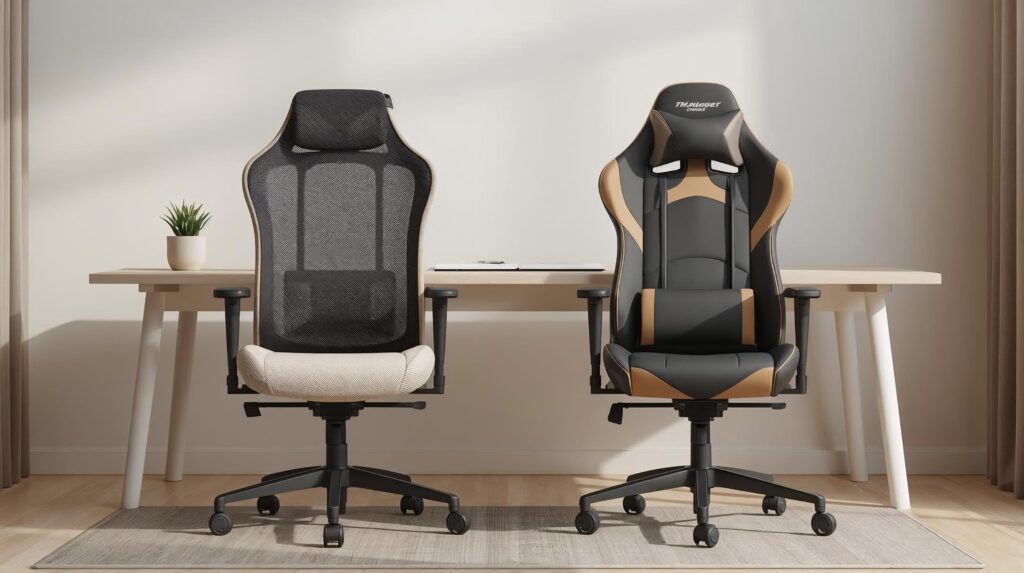
Choosing between an ergonomic chair vs gaming chair sounds simple until you realize both can be expensive, both claim all-day comfort, and both look premium in photos. The real difference shows up after 4–8 hours at your desk: posture support, heat buildup, pressure points, and how adjustable the chair is for your body.
This guide breaks down the differences in plain terms so you can buy the right chair for your work style, desk setup, and budget without regret.
- Choose an ergonomic chair if you want neutral posture, precise adjustability, breathability, and you sit for long desk-work sessions.
- Choose a gaming chair if you want a reclined lounging feel, bold styling, and you spend more time leaning back than typing.
- If you work at a desk 5+ hours/day, most people do best with a true ergonomic chair (especially with strong lumbar + seat depth adjustment).
Ergonomic Chair vs Gaming Chair (Quick Comparison)
| Feature | Ergonomic Chair | Gaming Chair |
|---|---|---|
| Best for | Desk work, posture, long sessions | Reclining, casual comfort, style |
| Lumbar support | Often built-in + adjustable | Often pillow-based or fixed |
| Breathability | Common (mesh backs) | Often warmer (PU leather) |
| Adjustability | Usually more precise | Varies widely by model |
| Seat shape | Flatter, movement-friendly | Bucket seat may restrict movement |
| Look | Minimal, office-friendly | Bold “racing” aesthetic |
| Value | Great if you sit daily | Great if you prioritize recline + style |
The Ergonomic Chair: Productivity and “Active Sitting”
Ergonomic chairs can look “technical,” but the design goal is simple: keep your body in a neutral working posture while allowing small position changes through the day.
Pros
- Dialed-in fit: Better ergonomic chairs let you adjust seat depth, lumbar height (and sometimes depth), armrests, and tilt tension. You fit the chair to you not the other way around.
- Cooler for long sessions: Mesh backs (and sometimes mesh seats) improve airflow and reduce that “stuck to the chair” feeling.
- Pressure management: Many ergonomic seats have a gentle “waterfall” edge to reduce pressure behind the knees.
Cons
- Less “loungy”: Most ergonomic task chairs aren’t designed for curling up or reclining flat.
- Quality costs more: Truly good ergonomic chairs often cost more than many gaming chairs especially in the premium tier.
The Gaming Chair: Recline, Immersion, and the “Bucket Seat”
Gaming chairs borrow cues from racing seats high backs, bold styling, and often deeper recline. They’re made to feel comfy when you’re leaning back.
Pros
- Deep recline: Many gaming chairs recline far, which is great for relaxing between sessions.
- Plush feel: Thick foam can feel “cozy” immediately (especially compared to firm mesh task chairs).
- Style options: If your setup is camera-facing or themed, gaming chairs are easier to match visually.
Cons
- Bucket-seat “wings”: Side bolsters can press into thighs and limit cross-leg sitting or shifting positions.
- Heat buildup: PU leather and less-breathable upholstery can trap heat during long desk sessions.
- Support varies a lot: Some models provide real lumbar structure; many rely on pillows that may not fit your back well.
Ergonomic vs Gaming Chair: Key Differences That Matter
1) Posture and Back Support
A good ergonomic chair is built for upright desk posture supporting the lower back while keeping your shoulders relaxed and your head balanced. Many gaming chairs feel great when reclined, but the support can be less consistent for long typing sessions.
If your goal is productive desk work: ergonomic chairs usually win here.
One of the fastest ways to improve neck comfort is getting your screen to the right height. These best monitor arms for home office setups ↗, make it easier to place your monitor at eye level and reclaim desk space.
2) Adjustability and Fit
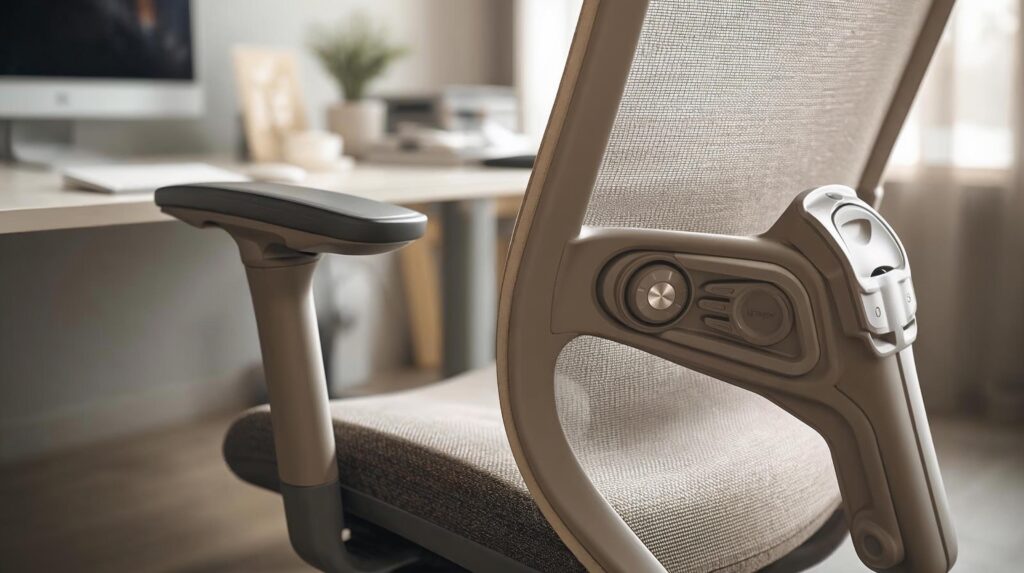
The best ergonomic chairs offer fine control over:
- seat height and seat depth
- lumbar height (and sometimes depth)
- armrest height/width/angle
- tilt tension + tilt lock
Gaming chairs often cover basics (height, recline, armrests), but fewer offer truly precise fit adjustments.
Rule: The more hours you sit, the more adjustability matters.
3) Long-Session Comfort (4–8 Hours)
Comfort isn’t just softness. It’s whether you finish a workday feeling okay.
Ergonomic chairs tend to distribute support more evenly and encourage micro-movement. Gaming chairs can be plush, but some people notice thigh pressure from bolsters or heat buildup over time.
4) Seat Design and Pressure Relief
Ergonomic seats are usually flatter and movement-friendly. Gaming seats often have raised sides.
If you like:
- sitting cross-legged
- shifting positions often
- keeping one leg tucked sometimes
…then a wide, flatter seat tends to be easier to live with.
If you work on a laptop, raising the screen to eye level is a big win then you can bring the keyboard/mouse to a comfortable position. Here are the best laptop stands for home office ↗, setups to get that height without stacking books.
5) Breathability and Heat
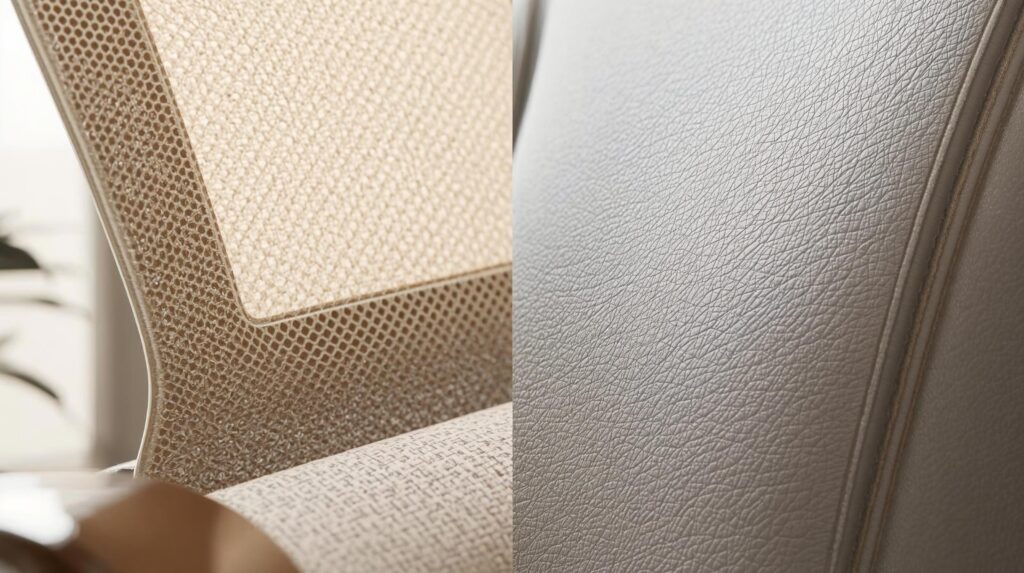
If your room runs warm (or you sit long hours), breathability becomes a big deal. Mesh backs are common in ergonomic chairs, while gaming chairs frequently use PU leather, which can feel warmer.
6) Build Quality and Lifespan
This varies by model, but consider:
- base and frame stability
- smooth tilt mechanism (no wobble)
- warranty reputation
- long-term material wear (peeling, flattening foam, squeaks)
7) Style and Space
Ergonomic chairs blend into home offices. Gaming chairs are a statement piece. Pick what matches your room and the vibe you want on camera (if applicable).
8) Price and Value
You can find good and bad options in both categories.
Think of value like this:
- Ergonomic value = fit + posture support + adjustability
- Gaming value = recline + plush comfort + style
What to Look For (Regardless of Chair Type)
Before you buy, check these specs/features:
- Seat depth (or seat size): You want enough thigh support without pressure behind the knee.
- Lumbar support: Built-in adjustable lumbar is often more consistent than pillows.
- Armrests: At minimum: height adjustment. Better: width + angle.
- Tilt control: Smooth recline/tilt with stable lock positions.
- Material: Mesh for breathability; fabric can be cooler than PU leather.
- Warranty and returns: Especially important for chairs fit is personal.
A chair helps, but your posture is also shaped by monitor height, desk height, and how close your keyboard and mouse are. Use this desk setup ergonomics guide ↗, to fine-tune your workstation in a few simple steps.
Which Should You Buy? (Decision Guide)
Choose an ergonomic chair if you:
- work at a desk 5+ hours/day
- want posture-first support while typing
- prefer cooler seating (breathability)
- care about adjustments (seat depth, lumbar, armrests)
If you’re working at a desk for most of the day, a chair with real adjustability matters more than looks. Here’s a curated list of best ergonomic chairs for home office ↗, setups to help you compare strong options by comfort, support, and value.
Choose a gaming chair if you:
- want a chair that’s excellent for reclining
- split time between desk work and relaxed leaning-back use
- prefer plush cushioning + head/neck support
- want a bold style for a gaming setup
If you’re unsure: choose a well-reviewed ergonomic chair with solid adjustability and a comfortable recline range.
Frequently Asked Questions
Is a gaming chair bad for posture?
Not automatically. Some gaming chairs provide solid support, but many prioritize reclining and style. For posture-focused desk work, ergonomic chairs usually offer more consistent support and better fit options.
Which chair is better for working from home?
For most people doing long desk sessions, an ergonomic chair is the safer all-round pick because it’s built for upright desk posture and adjustability.
Are ergonomic chairs worth the money?
Often, yes if you sit daily. Better fit and adjustability can make long sessions feel easier and more consistent over time.
What’s the #1 thing to check before buying?
Fit and adjustability. Seat depth/size, lumbar support, armrest adjustability, and the tilt mechanism matter more than looks.
Final Recommendation
If you spend most of your day at a desk, an ergonomic chair is usually the better long-term investment for posture support and all-day comfort. A gaming chair can still be a great choice if you prioritize reclining and a relaxed sitting style just pay close attention to the seat shape, materials, and lumbar support.
Sources & References
- OSHA Computer Workstations eTool – Neutral posture and workstation principles ↗.
- CDC/NIOSH Computer Workstation Checklist – Self-check posture + setup ↗.
- NIH Computer Workstation Ergonomics Self-Assessment – Chair and workstation fit checklist ↗.