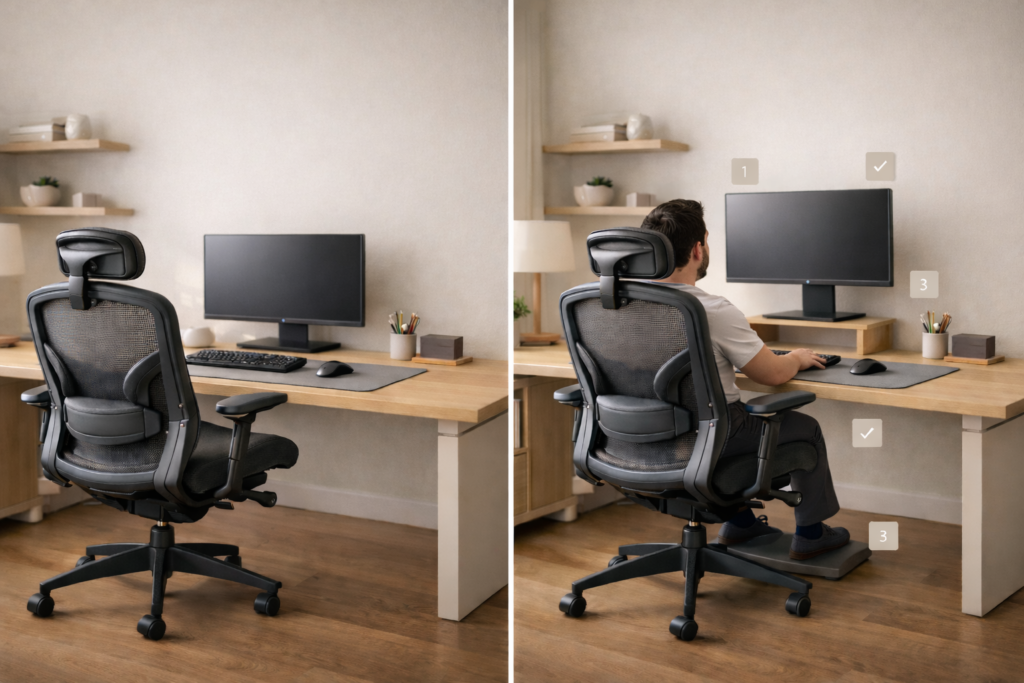
Desk setup ergonomics is one of the fastest ways to reduce neck, back, and wrist pain during long work hours. If you work at a desk daily, small setup mistakes can build into real discomfort. Most people don’t notice it until it’s already affecting their focus and energy.
Most people don’t notice the problem until it builds up:
- Neck stiffness
- Lower back pain
- Wrist strain
- Constant fatigue
The fix is not complicated.
It’s about positioning your body and tools correctly.
This guide walks you through everything, step by step.
Ergonomics is simple: Your setup should support your body, not force it into position.
You should feel:
- Relaxed, not tense
- Supported, not leaning
- Neutral, not twisted
If you feel discomfort during normal work, something is off.
This is the core idea behind desk setup ergonomics and why small adjustments make a big difference.
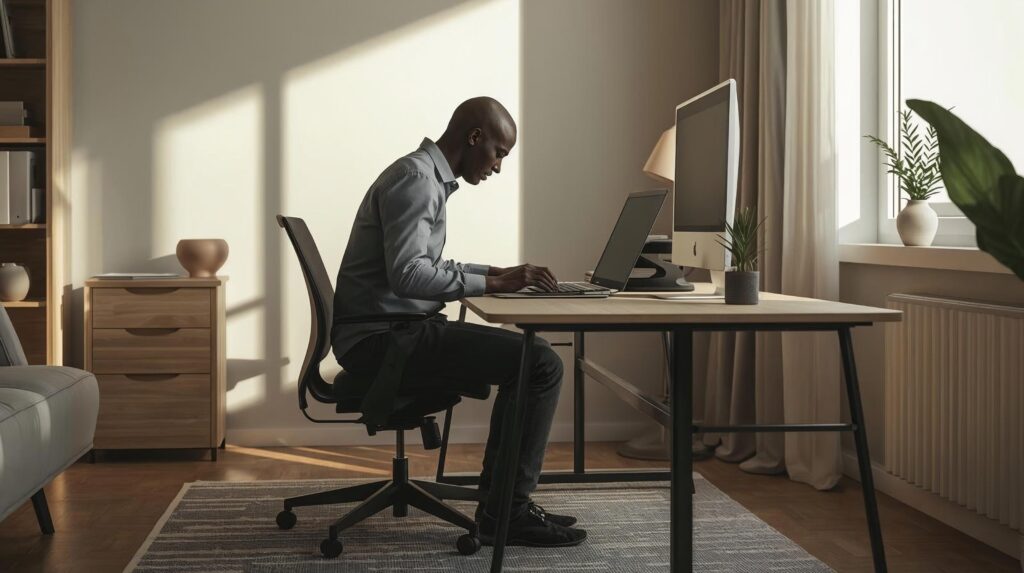
Quick Self-Check (Fix This First)
Before adjusting anything, check your current posture:
- Are you leaning forward to see your screen?
- Are your shoulders raised while typing?
- Are your wrists bent?
- Are your feet not fully supported?
- Are you turning your neck to one side often?
These signs clearly show your desk setup ergonomics needs improvement.
Step 1: Fix Your Chair (The Foundation of Desk Setup Ergonomics)
Everything depends on your chair position. If this is wrong, nothing else will feel right.
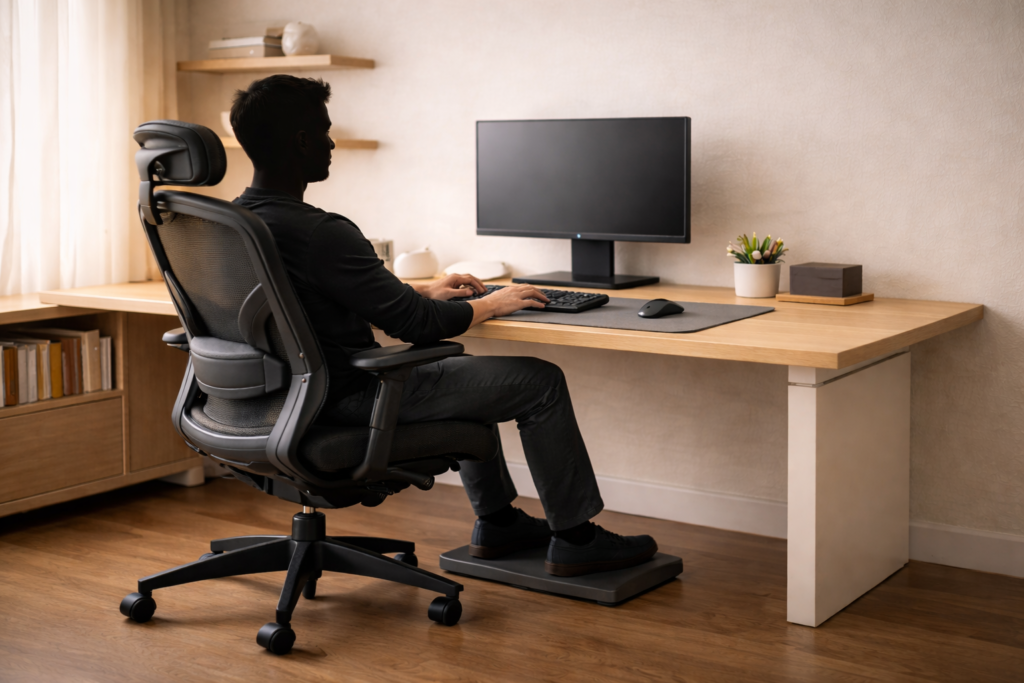
Feet and Leg Position:
- Feet flat on the floor
- Knees at ~90°
- Thighs parallel
If your desk is high and your feet don’t reach, use a footrest.
For an official posture reference for desk users, see the HSE DSE good posture guidance ↗.
Lower Back Support (Lumbar):
Your lower back should be supported at all times.
- Sit all the way back in the chair
- Use built-in lumbar support or a cushion
If you’re dealing with persistent lower back discomfort, start with better lumbar support and consider one of these ergonomic chairs for lower back pain ↗.
Arm and Shoulder Position:
- Elbows close to your body
- Around 90–100°
- Shoulders relaxed
If your current chair can’t hold these adjustments, upgrading to one of the best ergonomic chairs for home use ↗, can make a big difference.
This is what a correct, neutral posture looks like:
Step 2: Set the Correct Desk Height
Your desk should match your chair height.
Ideal Desk Position
- Elbows stay around 90°
- Wrists remain straight
- Shoulders stay relaxed
If Your Desk Is Too High
- Raise your chair
- Add a footrest
If Your Desk Is Too Low
- Raise desk if possible
- Or adjust chair and input devices
For a full workstation checklist you can compare against, use the OSHA computer workstation evaluation checklist ↗.
Step 3: Monitor Setup (Biggest Impact on Neck Pain)
This is one of the most important adjustments.
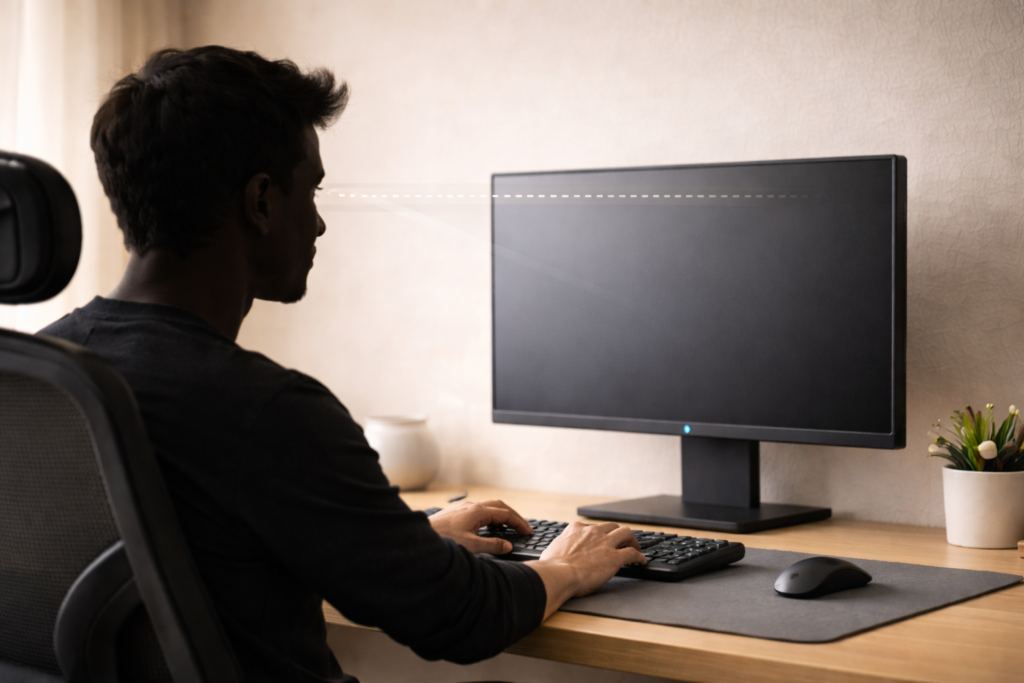
Monitor Height
- Top third of screen at eye level
- No looking down
An easy way to get the top third of the screen to eye level is using a monitor stand or one of the best monitor arms for home office setups ↗.
Laptop Users (Critical Fix)
- Working on a laptop without raising it causes neck strain fast.
If you work on a laptop, raise it to eye level first these laptop stands for better posture ↗, make that adjustment much easier.
Monitor Position
- Directly in front of you
- Avoid constant neck turning
For a full layout guide and different setups check Best Monitor Setup for Productivity ↗.
Monitor Distance
- About arm’s length
- Increase text size instead of leaning forward
Step 4: Keyboard and Mouse Position
Your arms should stay relaxed and close.
Correct Placement
- Keyboard close to your body
- Mouse next to it
- No reaching forward
Wrist Position
- Neutral and straight
- Not bent upward
Optional
- Light palm support (without pressure)
Keyboard Angle
- Flat is usually better
- Avoid lifting the back legs
Step 5: Screen and Eye Comfort
Comfort is not just posture. It’s also visual strain.
Brightness
- Match your room lighting
Text Size
- Increase size instead of leaning forward
Glare
- Keep screen away from direct light
Step 6: Movement (The Most Ignored Step)
Even a perfect setup won’t fix long sitting hours.
20-20-20 Rule
- Every 20 minutes
- Look 20 feet away
- For 20 seconds
Break Routine
- Stand every 30–60 minutes
- Stretch briefly
The key idea:
The best posture is your next posture.
Small Desk Setup Ergonomics Adjustments (Very Important)
If your space is limited, small changes matter more.
Shallow Desk (Under ~60 cm / 24”)
- Use a monitor arm to free space
- Keep keyboard near edge
Limited Width
- Use a single monitor
- Avoid wide dual setups
Cable Management
- Route cables behind the desk
- Keep surface clean
Clean setup = less reaching = better posture
Common Mistakes to Avoid
These cause most ergonomic problems:
- Monitor too low
- Laptop used flat on desk
- Keyboard too far away
- Sitting forward instead of back
- No lumbar support
- Feet unsupported
Fixing these common mistakes improves most setups.
Complete Ergonomics Checklist
| Area | Correct Setup |
|---|---|
| Chair | Supports lower back |
| Feet | Flat on floor |
| Elbows | ~90° |
| Monitor | Eye level |
| Distance | Arm’s length |
| Keyboard | Close to body |
| Wrists | Neutral |
| Movement | Every 30–60 min |
How to Upgrade Your Setup
Start with adjustments first.
Upgrade if something cannot be fixed:
- Chair → if no proper support
- Monitor arm → if screen too low
- Laptop stand → if using laptop daily
Use these guides to choose the right upgrade:
- Best Ergonomic Chairs for Home Use ↗
- Best Monitor Arms for Home Office Setups ↗
- Best Laptop Stands for Better Posture ↗
FAQ (Desk Setup Ergonomics):
How high should my monitor be?
A reliable starting point is top of the screen near eye level, with the screen about an arm’s length away. Adjust slightly based on comfort and vision needs.
Do I need a footrest?
You need support. If your feet don’t rest comfortably on the floor after setting your chair height for proper arm position, a footrest is a simple fix.
Is sitting up straight all day bad?
Holding any single posture all day can be tiring. Aim for supported, neutral posture and add movement throughout the day.
What if my desk is too high and I can’t change it?
Raise the chair so your shoulders relax while typing, then use a footrest to support your feet. This is one of the most common and effective fixed-desk solutions.
Final Thoughts:
Desk setup ergonomics is not about expensive gear. A good desk setup is not about expensive gear.
It’s about alignment:
- Your body
- Your screen
- Your tools
Fix the position first. Upgrade only when needed.
If your setup feels off, it usually is.