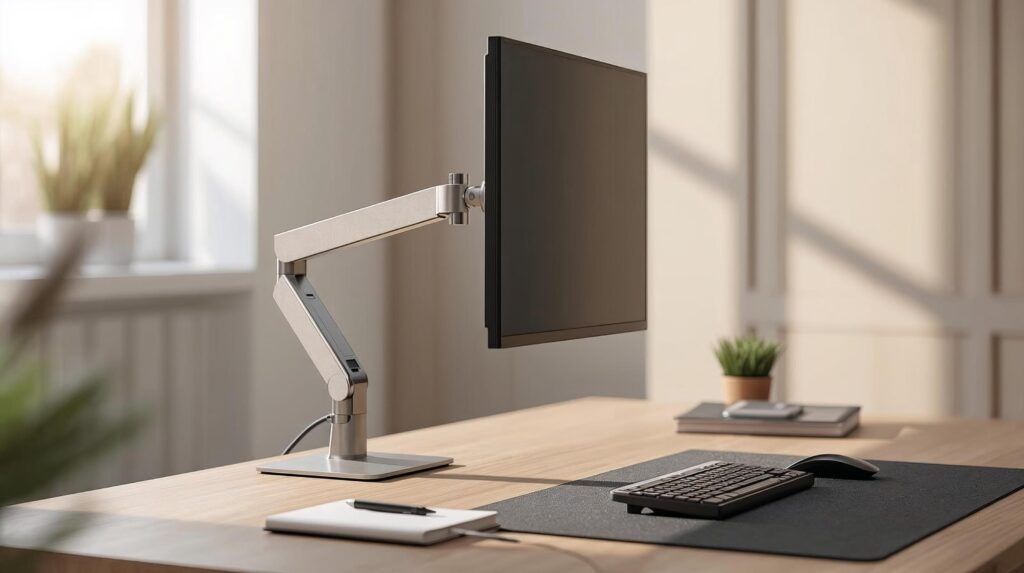
Best monitor arms for home office setups aren’t just about looks they’re one of the fastest ways to improve comfort, reclaim desk space, and get your screen to the right height for long workdays. If you’re still building your screen layout, start here our guide for the Best Monitor Setup for Productivity ↗.
Affiliate disclosure: As an Amazon Associate, DeskSetupHub earns from qualifying purchases. If you click an Amazon link and buy, we may earn a commission at no extra cost to you.
In this guide, you’ll find 5 practical picks, a quick comparison table, and a simple checklist to choose the best option for your monitor size, desk type, and workflow.
A good monitor arm helps you put the top of the screen at or slightly below eye level, which reduces neck strain over long work sessions. Both the Mayo Clinic and OSHA share similar guidance for monitor height and viewing distance. See sources at the end. If you want the full setup guide on how to set chair height, monitor distance, keyboard, posture, check How to Adjust Your Desk Setup for Better Ergonomics ↗.
To help you compare the best monitor arms for home office setups, the table below highlights key differences in size support, weight capacity, and adjustment type.
Important: capacities and supported sizes can vary by sub-model and seller bundle. Always confirm your monitor’s weight without the stand and the arm’s rated capacity before buying.
| Pick | Best For | Monitor Size (listing) | Weight Capacity (listing) | Type | Amazon Link |
|---|---|---|---|---|---|
| Ergotron LX | Premium build + long-term reliability | Up to 34″ | 7–25 lb | Gas-spring | View on Amazon |
| Amazon Basics Gas Spring Single Arm | Value pick for lighter monitors | 15–27″ | 4.4–15.4 lb | Gas-spring | View on Amazon |
| VIVO Dual Desk Mount (STAND-V002) | Budget dual monitors + stable alignment | 2× 13–30″ | 22 lb each | Pole + arms | View on Amazon |
| NB North Bayou Dual (F160) | Budget dual gas-spring (17–27″) | 2× 17–27″ | 4.4–19.8 lb each | Dual arms | View on Amazon |
| HUANUO Dual (B07T5SY43L) | Smooth dual adjustment (common 13–32″) | 2× 13–32″ | 4.4–19.8 lb each | Dual arms | View on Amazon |
Important: capacities and supported sizes can vary by sub-model and seller bundle. Always confirm your exact monitor’s weight (with stand removed) and the arm’s rated capacity before buying.
If you’re dialing in a clean look, don’t skip cables. It affects both comfort and how easy it is to reposition your screen later, check our cable management guide ↗.
1) Ergotron LX — Best Premium Pick
If you want a “buy once, use for years” option, the Ergotron LX is a top-tier choice with smooth movement and strong build quality. It’s a favorite for users who adjust their screen often and want stable positioning once dialed in.
Key specs (common LX range):
- Typical screen size: up to ~34″ (size can be exceeded if within weight limits)
- Capacity: about 7–25 lb (3.2–11.4 kg)
- VESA patterns: typically 75×75 / 100×100 (confirm for your exact model)
Pros
- Very smooth height/tilt adjustments
- Strong stability for heavier monitors
- Clean, premium fit and finish
Cons
- Higher upfront cost than most alternatives
Best for
Home office users who want one of the best monitor arms for home office setups for heavier displays, frequent repositioning, and long-term durability.
2) Amazon Basics Lift Engine Arm — Best Value for lighter monitors
This is one of the most popular “bang-for-buck” options: a gas-spring arm that handles many mainstream monitors while staying affordable.
Key specs (Lift Engine Arm listing):
- Supports monitors 15 – 27″
- Weight capacity 4.4–15.4 lb
- VESA: 75×75 / 100×100
Pros
- Budget-friendly
- Excellent value for a gas-spring arm
- Smooth adjustments for daily use
- Often includes both clamp and grommet mounting options (check your listing)
Cons
- Not for heavy monitors
Best for
People with a lighter 24–27″ monitor who want an affordable adjustable arm.
This monitor arm is especially popular among laptop users running external displays. If you work from a laptop frequently, adding a properly sized laptop stand ↗, alongside your monitor arm can significantly improve neck and shoulder alignment.
3) VIVO Dual Monitor Desk Mount — Best Budget Dual-Monitor Setup
If your priority is stable, aligned dual screens (and you don’t need constant repositioning), VIVO-style dual mounts are a strong low-cost solution.
Key specs (STAND-V002 style):
- Fits two monitors ~13″ to 30″
- Capacity up to ~22 lb per monitor
- VESA 75×75 / 100×100
Pros
- Great stability for dual monitors
- Clean alignment for side-by-side work
- Strong value for money
Cons
- Adjustments are usually more “set and forget” than gas-spring arms
Best for
Dual-monitor home office setups focused on stability, clean alignment, and productivity.
Dual-monitor setups often introduce extra cables and visual clutter if not managed properly. Following proven cable management ↗, practices will help keep your workspace clean, functional, and easy to adjust as your setup evolves.
4) HUANUO Dual Monitor Stand (B07T5SY43L) — Best Smooth Dual Adjustment
The HUANUO Dual Monitor Stand (B07T5SY43L) is a strong choice if you want a dual setup that feels easy to move every day. It’s built around gas-spring arms, so you can raise/lower your screens, pull them closer for focused work, or push them back to open up desk space without fighting stiff joints.
Key specs
- Monitor size: 2× 13–32″
- Weight range: 4.4–19.8 lb. (2–9 kg) per monitor
- VESA 75×75 / 100×100 compatibility
- Desk clamp/grommet support
- Movement: tilt, swivel, rotation + height/reach adjustment via gas-spring arms
Pros
- Smooth day-to-day movement for both monitors
- Helps you fine-tune screen height and distance for better posture
- Keeps desk space clearer than two separate stands
Cons
- Performance depends on correct tension tuning (too loose = drift, too tight = stiff movement)
- If one monitor is much heavier than the other, balancing both arms can take a few adjustments
Best for
People who frequently reposition two monitors during the day and want a dual arm that feels comfortable and fast to adjust, especially for productivity workflows.
5) North Bayou Dual Monitor Arm — Best Budget Dual Arm With Extras (Model-Dependent)
The NB North Bayou F160 is a dual gas-spring monitor arm designed for people who want a more adjustable dual-screen setup than a pole-style mount, without paying premium prices. Compared to “set-and-forget” dual mounts, the F160 makes it easier to raise/lower, pull in/out, and angle both monitors during the day (as long as your screens fit the model limits).
Key specs
- Monitor size: 2× 17–27″
- Weight range: 4.4–19.8 lb. (2–9 kg) per monitor
- VESA 75×75 / 100×100 compatibility
- Desk clamp/grommet support
- Movement: gas-spring height adjustment + tilt/swivel/rotation
Pros
- Much easier to reposition than pole-style dual mounts
- Wide per-arm weight range for many 24–27″ monitors
- Helps free desk space and makes it simpler to keep screens at a comfortable height
Cons
- Not ideal if you need 32″ support
- If your monitor is near the low/high end of the weight range, you may need careful tension tuning to prevent drift
Best for
Dual-monitor home office users running two 24–27″ screens who want true day-to-day adjustability (height + reach) on a budget.
How to Choose the Best Monitor Arms for Home Office Setups
Selecting the best monitor arms for home office setups comes down to matching your monitor’s size, weight, and daily usage needs with the right mounting and adjustment features.
1) Check your monitor weight (without the stand)
Monitor arms fail (or sag) when the monitor is outside the rated range. Weigh your monitor or check the manufacturer specs.
2) Confirm VESA compatibility
Most home office monitors use 75×75mm or 100×100mm VESA hole patterns.
If your monitor has no VESA holes, you may need an adapter (often sold separately).
3) Choose the right mounting method
- C-clamp: easiest for most desks
- Grommet: cleaner look, often more stable, requires a desk hole
- Wall mount: great if desk mounting doesn’t work (needs proper wall support)
4) Decide how much movement you actually need
- Gas-spring arms: best if you adjust often (height + reach changes)
- Pole/arm mounts: best if you want stable alignment and occasional tweaks
5) Cable management matters more than you think
Look for channels/clips that keep cables from pulling when you move the screen.
Installation Tips (Quick, Practical)
- Clear desk space so you can position the clamp correctly.
- Mount the base first, then attach the arm, then attach the monitor.
- Adjust tension last: most gas-spring arms need a tension tweak to match your monitor weight.
- Route cables before final positioning so they don’t snag at full extension.
- Test full range of motion (up/down, in/out, rotate) before tightening everything fully.
Common Mistakes to Avoid
- Ignoring weight limits (causes sagging and instability)
- Mounting too close to the desk edge (reduces usable range)
- Over-tightening clamps (can damage the desk surface)
- Skipping tension adjustment (monitor drifts up or down)
- Pulling dual monitors too far forward (stability drops)
Maintenance Checklist
- Re-tighten bolts every 2–3 months
- Wipe joints occasionally to prevent dust buildup
- Re-check cable slack after major adjustments
FAQs
Do monitor arms really help ergonomics?
Yes, when the screen is at the right height and distance, you’re less likely to lean forward and strain your neck.
What’s the best monitor arm for a heavy monitor?
Look for higher weight capacity (often premium arms). Always match your monitor’s weight to the arm’s rated range.
Do I need a dual arm or two single arms?
Dual arms are clean and compact. Two single arms often give more flexibility for unusual layouts.
Final Recommendation
- If you want a premium, long-term single-monitor arm: Ergotron LX (up to 34″, 7–25 lb. on the listing)
- If your monitor is lighter and within the listing limits: Amazon Basics Gas Spring Single (15–27″, 4.4–15.4 lb.)
- For dual monitors on a budget with stable alignment: VIVO STAND-V002 (13–30″, 22 lb. each).
- For dual monitors with more day-to-day adjustability: NB F160 (17–27″, 4.4–19.8 lb. each) or HUANUO dual (13–32″, 4.4–19.8 lb. each), depending on your monitor size.
Sources & References
- 1) OSHA – Computer Workstation Ergonomics ↗.
- 2) Ergotron – VESA Mounting Standard Explained ↗.