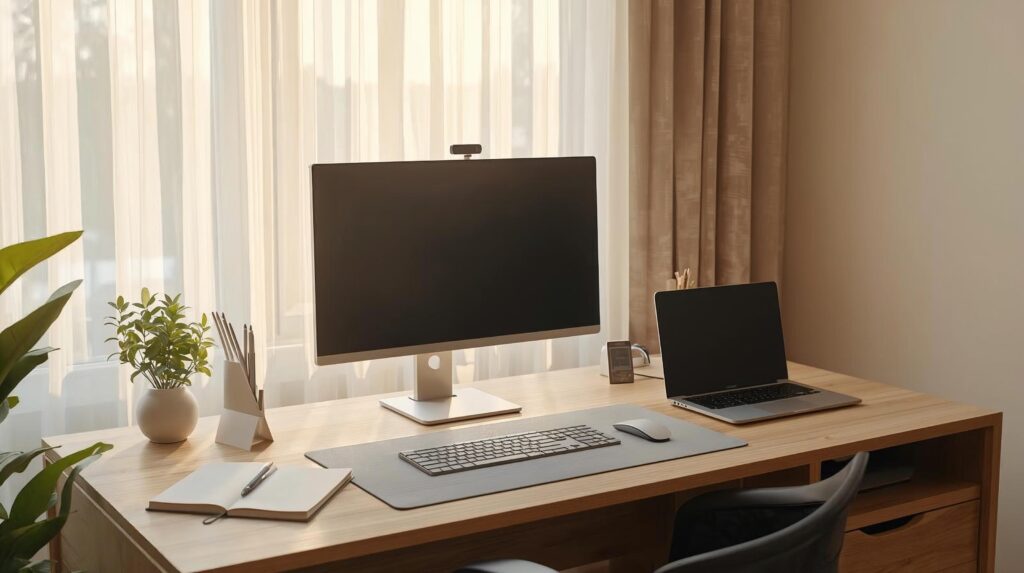
In this guide, we’ll cover the essential desk accessories for a minimal home office nothing extra, just what improves comfort and focus. A minimal home office isn’t an empty desk it’s a desk where everything earns its place. When your workspace is visually calm, it’s easier to focus, easier to clean, and easier to keep consistent day after day.
The problem is that “desk accessories” can quickly turn into desk clutter: gadgets you don’t use, organizers that create more piles, and cables that make even an expensive setup look messy.
In this guide, you’ll get a clean, practical list of essential desk accessories for a minimal home office the few upgrades that improve comfort, organization, and productivity without adding visual noise.
These essential desk accessories for a minimal home office are the fastest upgrades to reduce clutter and improve daily comfort.
| Essential accessory | Why it’s worth it | What to look for | Best for |
|---|---|---|---|
| Desk mat | Defines your workspace + protects the surface | Neutral color, wipeable, thin edge | Clean aesthetics |
| Cable management kit | Removes the #1 clutter source | Clips, sleeves, tray, Velcro ties | Any setup |
| Monitor arm / riser | Better posture + more desk space | Stable, adjustable, VESA compatible | Single monitor users |
| Laptop stand (if needed) | Raises screen height for ergonomics | Adjustable, sturdy, foldable | Laptop-first setups |
| Compact keyboard | Frees space + improves posture | Low profile, reliable layout | Small desks |
| Ergonomic mouse | Reduces wrist strain | Comfortable grip, smooth sensor | Long work sessions |
| Task lighting | Less eye fatigue + better mood | Adjustable brightness/temperature | Night workers |
| Small desktop organizer | Stops “micro-clutter” | One compartment system, not multi-trays | Pens/USBs |
| USB-C hub / dock | One-cable simplicity | Enough ports, reliable brand | Laptop + monitor |
| Headphone hook/stand | Clears the desk instantly | Under-desk hook or slim stand | Calls + headphones |
Minimal home office rules (what to keep vs. skip)
Minimal doesn’t mean “less comfort.” It means less distraction.
Keep accessories that:
- Solve a daily problem (cables, lighting, posture, storage for tiny items)
- Replace multiple items with one (dock > scattered adapters)
- Have a fixed home (every item returns to one place)
Skip accessories that:
- Exist “just in case” (extra trays, novelty tools, random gadgets)
- Create new clutter (too many organizers = more piles)
- Need constant repositioning (they’ll annoy you or get ignored)
If you only follow one rule: control cables and surfaces (desk top + under desk). Everything else becomes easier. The goal is simple: choose essential desk accessories for a minimal home office that solve a daily problem and stay visually quiet.
Minimalist desk accessories checklist (the essentials)
If you want the simplest possible shopping list, start here:
The 10 essential desk accessories for a minimal home office
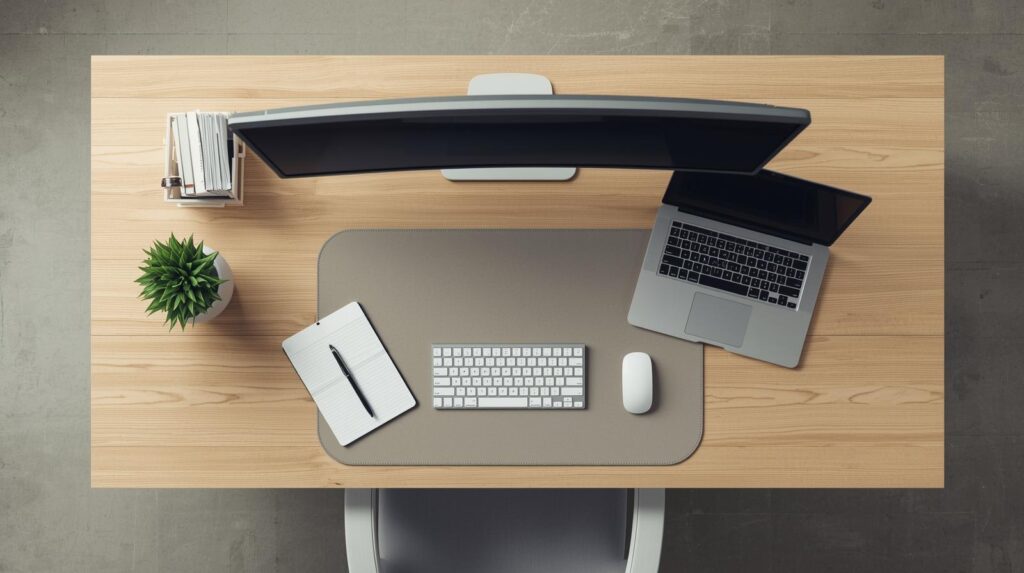
1) Desk mat (the simplest “clean desk” upgrade)
A desk mat is one of the essential desk accessories for a minimal home office because it defines your work zone instantly. A desk mat instantly makes your setup look intentional. It also protects your desk, reduces noise from typing, and creates a “zone” that helps your brain switch into work mode.
What to look for
- Neutral color (black/gray/beige) to reduce visual noise
- Wipeable surface
- Thin edge profile (looks cleaner than bulky stitched edges)
Avoid this
- Tiny mats that don’t fit your keyboard + mouse area
- Busy textures or bright branding
Minimal recommendation: one large, neutral mat that fits your keyboard and mouse comfortably.
2) Cable management kit (the #1 minimalist difference-maker)
Nothing ruins a minimal workspace faster than messy cables. A basic kit lets you route cables so you don’t see them and you stop snagging cords during the day. Cable control is non-negotiable in essential desk accessories for a minimal home office because it removes the biggest visual mess.
If cables are the main source of clutter, start with our cable management essentials ↗ checklist and setup tips.
What to look for
- Adhesive cable clips (for desk edge routing)
- Velcro ties (reusable > plastic zip ties)
- Cable sleeve or spiral wrap (for bundling)
- Optional: under-desk tray (best “invisible” solution)
Avoid this
- Over-tight bundling that makes cables hard to replace
- Cheap adhesive clips that fall off with heat
Minimal recommendation: clips + Velcro ties first, then add a tray if you want the “floating desk” look.
3) Under-desk cable tray (for a truly clutter-free look)
If you want a desk that stays clean in photos and real life, hide the power strip and adapters under the desk.
What to look for
- Ventilated design (heat management)
- Enough width for a power strip + adapters
- Easy mounting (clamp or screw based on your desk type)
Avoid this
- Tiny trays that force cables to hang anyway
- Mounting that damages your desk finish (choose the right style)
Minimal recommendation: one tray centered under the desk holding your power strip + adapters.
4) Monitor arm or monitor riser (space + posture in one move)
If you use a monitor, this is one of the best upgrades for a minimal setup: your screen becomes easier to position, and you reclaim desk space underneath.
For a cleaner desk and better screen height, see our guide to best monitor arms for home office setups ↗.
What to look for (monitor arm)
- Smooth height adjustment
- Stable base (clamp or grommet)
- VESA compatibility (most modern monitors support it)
What to look for (riser)
- Solid, wobble-free platform
- Clean design with usable space underneath
Avoid this
- Arms that sag over time
- Risers that look like bulky furniture
Minimal recommendation: single monitor arm if you adjust your screen often; riser if you prefer “set and forget.”
5) Laptop stand (only if you’re laptop-first)
If you work mainly on a laptop screen, a stand helps bring your screen closer to eye level but it’s only “minimal” if you pair it with an external keyboard and mouse.
If you’re using a laptop daily, our roundup of best laptop stands for home office ↗ will help you improve posture fast.
What to look for
- Adjustable height/angle
- Solid stability (no bounce while typing nearby)
- Foldable if you store it after work
Avoid this
- Using a laptop stand without external input devices (it forces awkward posture)
Minimal recommendation: adjustable stand + compact keyboard + ergonomic mouse.
6) Compact keyboard (more space, cleaner posture)
A compact keyboard reduces the distance your mouse hand travels, which can help shoulder and wrist comfort and it visually declutters the desk.
What to look for
- Layout you won’t fight (choose what you’re used to)
- Reliable connectivity (wired or strong wireless)
- Low profile if you like a slimmer look
Avoid this
- Weird layouts that slow you down
- Cheap wireless with lag or connection drops
Minimal recommendation: one compact keyboard that you enjoy using every day.
7) Ergonomic mouse (a small item that affects your whole day)
If you spend hours at your desk, your mouse matters. A comfortable mouse reduces tension and helps you stay consistent without micro-discomfort.
What to look for
- Comfortable grip for your hand size
- Smooth tracking
- Buttons you actually use (don’t add complexity)
Avoid this
- Extremely tiny travel mice for full-day use
- Heavy “gaming-style” shapes if your goal is minimal
Minimal recommendation: a comfortable, simple ergonomic mouse you don’t think about.
8) Adjustable desk lamp (minimal doesn’t mean dim)
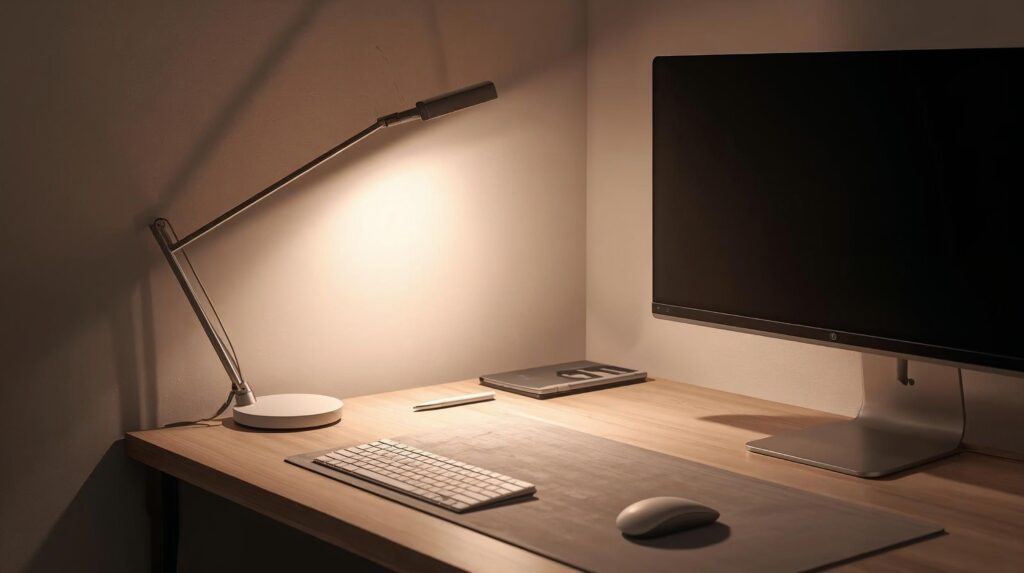
Good lighting makes your desk feel premium and helps reduce eye fatigue especially in the evening.
For eye comfort and a calmer workspace, check our picks for best desk lamps for eye comfort ↗.
What to look for
- Adjustable brightness
- Adjustable color temperature (warm ↔ neutral)
- Wide, even light spread (less glare)
Avoid this
- Harsh, narrow beams that create strong contrast
- Lamps with visible bright branding or busy designs
If you deal with headaches or tired eyes, this overview of digital eye strain and computer vision syndrome ↗, explains why lighting and screen setup matter.
Minimal recommendation: one clean-looking lamp with adjustable brightness and tone.
9) Small desktop organizer (for “micro-clutter”)
Minimal desks still need a home for small essentials: a pen, a USB drive, a sticky note pad, a charging cable. The goal is not to store more it’s to stop items from drifting.
What to look for
- One simple organizer (not a multi-tier system)
- A couple of compartments max
- Neutral material (wood/metal) to match your setup
Avoid this
- Large organizers that invite piles
- Too many compartments (you’ll fill them)
Minimal recommendation: one small organizer for daily items only.
10) USB-C hub or docking station (one-cable simplicity)
If you connect a laptop to a monitor, charger, and accessories, a hub/dock keeps things simple: fewer cables visible, less plugging and unplugging, less chaos.
What to look for
- The ports you actually need (don’t overbuy)
- Reliable build quality (this prevents random disconnect issues)
- A clean cable path (short, tidy connections)
Avoid this
- Cheap hubs that overheat or disconnect
- Over-complicated docks that create more cables than they solve
Minimal recommendation: one reliable hub/dock that turns your setup into “plug in once and work.”
Optional but worth it: headphone hook/stand
If you use headphones for calls, this is a simple way to keep the desk surface clean.
Minimal recommendation: under-desk hook if you want “invisible,” slim stand if you want “display clean.”
Minimal layout setup (where everything goes)
Use this placement guide to keep the desk visually calm:
- Center: monitor (or laptop on stand)
- Front center: keyboard
- Right/left: mouse on desk mat
- Back corner: lamp (aimed across the desk to reduce glare)
- Under desk (center): cable tray + power strip
- Desk edge (back): cable clips for clean routing
- One corner: small organizer (daily items only)
- Under desk side: headphone hook (optional)
If your desk looks “busy,” it’s usually because cables and small items don’t have a home.
Minimalist kits: starter, balanced, premium
Starter (fastest impact)
- Desk mat + cable clips + Velcro ties + small organizer
Balanced (best everyday minimal setup)
- Starter kit + monitor arm/riser + desk lamp
Premium (cleanest “one-cable” workflow)
- Balanced kit + under-desk tray + reliable USB-C dock
FAQs
What are the must-have desk accessories for a minimal setup?
Start with a desk mat and cable management. Then add monitor positioning (arm/riser) and lighting.
How do I keep my desk minimal long-term?
Give every item a permanent home, and do a 60-second reset at the end of the day: clear surface, return items, straighten cables.
Is a monitor arm necessary for minimalism?
Not necessary, but it’s one of the cleanest ways to reclaim desk space and improve posture if you use a monitor.
What’s the biggest mistake people make?
Buying multiple organizers instead of fixing the real issue: cables and “no home” small items.