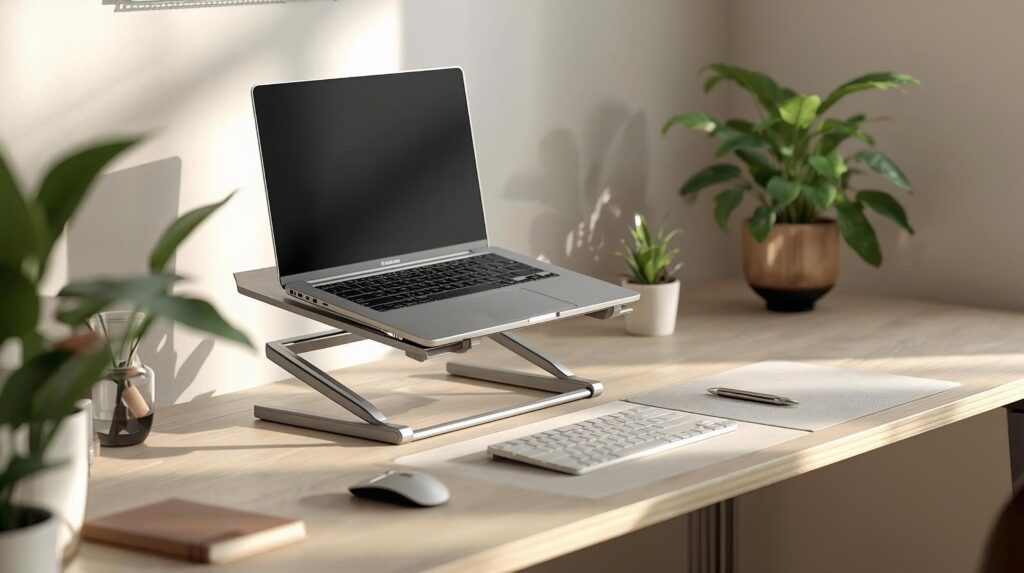
If you work on a laptop for hours a day, you’ve likely felt the classic combo: neck strain, rounded shoulders, and a tight upper back. The main reason is simple laptop screens sit too low, forcing you to look down for long periods.
A laptop stand for home office use is one of the fastest ergonomic upgrades you can make. It helps raise your screen closer to eye level, improves airflow, and frees desk space. For best results, pair it with an external keyboard and mouse when you lift the laptop high.
If you want to go beyond just a laptop stand and fix your full workstation comfort, follow our step-by-step guide on how to adjust your desk setup for better ergonomics ↗. It helps you align chair height, screen distance, keyboard position, and lighting for long work sessions.
In this guide, you’ll find five of the best laptop stands for home office setups, plus a practical checklist to choose the right one for your desk, travel needs, and posture goals.
Quick comparison: best laptop stands for home office
| Laptop stand | Best for | Type | Adjustability | Portability |
|---|---|---|---|---|
| Rain Design mStand | Clean, sturdy everyday setup | Fixed aluminum stand | No | Medium |
| Nexstand K2 | Travel + full height adjustment | Adjustable portable stand | Yes (8 levels) | High |
| MOFT Invisible Stand | Ultra-portable + always-on | Adhesive ultra-thin stand | Limited (2 angles) | Very high |
| Soundance Aluminum Stand | Simple cooling + value | Fixed ventilated stand | No | Low–Medium |
| BoYata Adjustable Stand | Stable, ergonomic flexibility | Adjustable desk stand | Yes | Medium |
Why you need a laptop stand
A quality ergonomic laptop stand can improve comfort and workflow in a few important ways:
- Better screen height: Reduces the need to bend your neck down for long periods. OSHA notes the top of the monitor should be at or slightly below eye level, with the screen center typically about 15–20° below horizontal eye level.
- More neutral viewing distance: Mayo Clinic suggests placing your screen about arm’s length away, generally 20–40 inches, depending on your vision and setup.
- Improved airflow: Elevation can help laptops dissipate heat better, especially with open/ventilated designs.
- More desk space: Many stands create usable space under the laptop for a keyboard, notebook, or dock.
- Cleaner “real workstation” feel: Small upgrade, big difference in how your desk functions.
Important ergonomic note: If you raise your laptop high, you’ll usually want an external keyboard and mouse so your arms stay comfortable while your screen stays high.
Types of laptop stands (and who they’re for)
Adjustable laptop stands
Best for: shared desks, posture fine-tuning, multi-tasking
You can change height/angle to match your chair, desk height, and body.
Fixed-height stands
Best for: stable home office setups
Simple, sturdy, and often the cleanest-looking option—if the height works for you.
Portable folding stands
Best for: coffee shops, travel, hybrid work
Lightweight and packable, often with multiple height levels.
Adhesive ultra-thin stands
Best for: minimalists and frequent travelers
Stays attached to your laptop—no extra gear to pack—but offers limited height.
Vertical stands (not covered in the 5 picks below)
Best for: external monitor + “clamshell mode” (laptop closed)
Saves desk space and keeps your setup tidy.
Best laptop stands for home office: top picks
1) Rain Design mStand — Best overall fixed stand
If you want a simple, sturdy, premium-feeling stand that looks great on a desk, the mStand is a classic fixed-height option.
Key highlights
- Raises screen height by about 5.9 inches
- Aluminum body with a stable base
- Cable pass-through / cable management slot (varies by listing)
Pros
- Extremely stable for everyday use
- Clean “set it and forget it” setup
- Great for a dedicated home office desk
Cons
- Not adjustable
- Not ideal if you need to change heights often
Best for: A tidy home office desk where you want stability and a premium look.
2) Nexstand K2 — Best portable adjustable stand
The Nexstand K2 is a strong pick if you want a real ergonomic height range without carrying something heavy.
Key highlights
- 8 height positions
- Height range listed around 14–30 cm
- Lightweight (listed around 234 g / 0.52 lb)
- Max load capacity listed at 9 kg (20 lb)
Pros
- Very portable
- Strong height range for better posture
- Great choice for hybrid workers
Cons
- Not as “solid desk furniture” as a heavy aluminum stand
- Best stability depends on laptop size and desk surface
Best for: Travel, hybrid work, and anyone who wants the most ergonomic adjustment in a portable stand.
3) MOFT Invisible Stand — Best ultra-portable “always with you” option
This is for people who want maximum portability and zero extra packing. It sticks to the bottom of your laptop.
Key highlights
- Two adjustable angles (MOFT commonly lists “two angles”)
- Support capacity can vary by product version; MOFT lists up to 11 lb for one Invisible Stand listing
- Retail listings often emphasize “very thin” and “lightweight”
Pros
- Always attached = incredibly convenient
- Great for quick posture improvement on-the-go
- Minimal aesthetic
Cons
- Limited lift compared to full-height stands
- Works best on stable, flat surfaces
Best for: Minimalists, frequent travelers, and laptop-only sessions where you want a quick improvement without carrying gear.
4) Soundance Aluminum Laptop Stand — Best simple cooling + value
If you want a fixed stand that’s straightforward and designed to keep airflow open, this style is a popular option.
Key highlights
- Ventilated/open design commonly marketed for heat dissipation
- Compatibility ranges vary by listing (often around 10–15.6″)
Pros
- Good value for a simple desk upgrade
- Open design supports airflow
- Easy to set up, nothing to “tune”
Cons
- Not adjustable
- Footprint may be larger than ultra-compact stands
Best for: Home office users who want a simple stand that improves airflow and desk organization without paying for adjustability.
5) BoYata Adjustable Laptop Stand — Best for stability + ergonomic flexibility
If you want adjustability but still prefer a more desk-stable build, BoYata-style adjustable stands are commonly chosen for heavier or larger laptops.
Key highlights
- Adjustable angle/height (exact range depends on the specific BoYata model)
- Some listings describe load support around 22 lb for certain models
Pros
- More flexible than fixed stands
- Often feels sturdier than very light travel stands
- Good for dialing in a comfortable viewing angle
Cons
- Bulkier than travel-first stands
- Adjusting hinges may require occasional tightening (depending on design)
Best for: Users who want adjustability and a stable desk setup without going full travel-light.
How to choose the right laptop stand (simple checklist)
1) Decide how you actually work
- Laptop open all day: prioritize height/angle adjustability
- Laptop + external monitor (clamshell mode): consider a vertical stand instead
- Hybrid (home + cafes): prioritize portability + fast setup
2) Match the stand to your mobility
- Home-only: fixed or sturdy adjustable desk stands
- Travel often: folding stand or adhesive ultra-thin stand
- Both: portable adjustable stand is the best compromise
3) Confirm laptop fit
Check:
- Screen size compatibility range
- Weight capacity (especially for larger laptops)
- Whether the stand blocks ports you use
Note: I cannot confirm that every listing uses the same specs across all sellers. Always verify size and load capacity on the product page you plan to buy.
4) Choose the right adjustability level
- Fixed height: simplest and often most stable
- Height + angle adjustable: best for dialing in posture and glare control
5) Pick materials that match your priorities
- Aluminum: premium feel + good heat dissipation
- Reinforced nylon/plastic: lighter, often more portable
- Wood: aesthetic-focused (often pricier)
Ergonomic setup guidelines (use this with any laptop stand)
Screen height & viewing angle
- Keep the top of the screen at or slightly below eye level.
- Typical guidance places main viewing area about 15–20° below horizontal eye level.
Screen distance
- Start around arm’s length; Mayo Clinic suggests roughly 20–40 inches, adjusting for comfort and readability.
The “complete” laptop-stand setup
For best posture:
- Laptop stand (screen up)
- External keyboard + mouse (arms comfortable)
- Chair with lumbar support
- Lighting to reduce glare
A supportive chair makes the stand upgrade actually work see best ergonomic chairs for home office ↗.
*OSHA also emphasizes changing positions and taking brief movement breaks during the day.
Setup tips (so your stand actually helps)
- Start with a moderate height, then adjust over a few days
- Keep the screen centered in front of you
- If the laptop is high, use an external keyboard/mouse
- Route cables cleanly so they don’t pull the laptop or clutter your workspace
To keep the stand stable and the desk tidy, use cable management essentials for a clean desk setup ↗.
Common mistakes to avoid
- Raising the laptop high but still typing on the laptop keyboard (screen gets better, arms/shoulders get worse)
- Setting the screen too high and looking upward
- Using a portable stand on a soft/uneven surface
- Ignoring load limits for heavier laptops
Using an external monitor too? Check best monitor arms for home office ↗ for easier height and distance adjustment.
FAQs
Is a laptop stand worth it for a home office?
Yes, if you spend hours on a laptop, raising the screen helps reduce neck bending. OSHA’s monitor guidance supports keeping the top of the screen at or slightly below eye level.
Do I need an external keyboard and mouse?
If you raise your laptop significantly, an external keyboard and mouse usually help keep your arms in a comfortable position while the screen stays high.
What’s better: fixed or adjustable?
Fixed stands are simpler and stable. Adjustable stands are better if you share a desk, change chairs, or want precise ergonomic tuning.
How far should my screen be from my eyes?
A common starting point is arm’s length. Mayo Clinic suggests roughly 20–40 inches, depending on comfort and visibility.
Final thoughts
The best laptop stands for home office use do two things well: raise your screen and support the way you work (home-only, hybrid, or travel-heavy). If you want a clean fixed setup, go with a sturdy aluminum stand. If you need flexibility, an adjustable stand makes posture tuning much easier.
Next step: pick one stand style that fits your routine and if you lift the laptop high, add a keyboard and mouse so the upgrade truly improves comfort.
Sources & references
- OSHA – Computer Workstations (Monitor positioning) ↗
- Mayo Clinic – Office ergonomics guide ↗
- OSHA – Working positions & movement breaks ↗
- Cornell University – Ergonomics resources ↗