Do you finish the workday with dry eyes, a dull headache, or that “foggy” feeling after hours on a screen? For many home-office setups, the issue isn’t the monitor it’s the lighting.
The fix isn’t simply “more light.” It’s better, controlled light: wide coverage, comfortable dimming, and settings that reduce glare and harsh contrast.
Good lighting works best when the rest of your workstation is aligned too monitor height, viewing distance, and posture all affect how quickly your eyes and body get fatigued. If you want a full checklist to improve comfort fast, use our guide to adjust your desk setup for better ergonomics ↗.
In this guide, you’ll find the best desk lamps for eye comfort and productivity, plus a simple buying checklist to choose the right lamp for your desk, monitor, and work style.
| Category | Product | Best for | Why it stands out |
|---|---|---|---|
| Best overall | BenQ e-Reading Desk Lamp | Long desk hours + mixed tasks | Wide, even illumination + smart modes |
| Best premium | Dyson Solarcycle Morph | High-end setups + smart lighting | Tracks local daylight + built to last |
| Best for big desks | EppieBasic LED Clamp Lamp (31.5″) | Dual monitors + wide desks | Ultra-wide bar + space-saving clamp |
| Best for video calls | Logitech G Litra Beam | Zoom/Teams + content creation | Soft light + precise control from desktop |
These best desk lamps for eye comfort are selected for smooth dimming, reduced glare, and comfortable evening work.
What makes a desk lamp “eye-comfort” friendly?
1) Flicker (the hidden fatigue factor)
Some LED lamps flicker due to the driver or dimming method. Flicker isn’t always obvious, but it can contribute to discomfort for some people. IEEE’s recommended practice (IEEE 1789) is widely referenced when discussing flicker risk in LED lighting.
What to look for
- “Flicker-free” or similar claims (ideally with testing/standards references)
- Dimming that stays comfortable at low brightness (cheap dimmers can introduce issues)
2) Glare and reflections (especially near monitors)
Glare is often what makes desk lamps annoying. OSHA’s workstation guidance specifically recommends supplemental task lighting while limiting brightness around monitors to reduce discomfort.
If you’re still fighting reflections even with an eye-friendly lamp, your screen position may be the real bottleneck. A flexible monitor arm setup ↗ lets you fine-tune height, tilt, and distance so your lamp can illuminate the desk without creating glare on the display.
What to look for
- Diffused light (no harsh visible LED points)
- Adjustable arm/head so you can aim the beam away from the screen
- Wide illumination (avoids “spotlight” contrast)
3) Brightness + dimming (you need both)
A lamp should be bright enough for reading, but easily dimmable so you can match the room and time of day. OSHA notes office lighting commonly ranges around 20–50 foot-candles in certain contexts and that higher levels may be needed with LCDs for some tasks.
4) Color temperature (warm vs neutral vs cool)
- Warm (2700–3000K): comfortable, calmer at night
- Neutral (3500–4100K): balanced for mixed tasks
- Cool (5000K+): can feel more alerting, but can feel harsh for some
5) Color Rendering Index CRI (color clarity)
CRI describes how accurately colors appear under a light source. Higher CRI is useful for reading, design, photo/video, and any work where “true color” matters. (Many premium desk lamps highlight CRI in their specs.)
How bright should your desk lamp be? (lux + foot-candles)
OSHA references office lighting ranges in foot-candles (fc).
To translate into lux:
Conversion (shown step-by-step):
1 fc ≈ 10.764 lux
So:
50 fc × 10.764 = 538.20 lux → ≈ 538 lux
20 fc × 10.764 = 215.28 lux → ≈ 215 lux
That puts many “typical office” scenarios in the ~200–540 lux range—then you adjust based on task, screen brightness, and ambient light.
Together, these features are what separate ordinary lights from the best desk lamps for eye comfort.
Best desk lamps for eye comfort and productivity (2026 picks)
1) BenQ e-Reading Desk Lamp – Best overall for eye comfort + long desk hours
BenQ’s e-Reading series is built around wide, even illumination to reduce harsh contrast and desk shadows. BenQ highlights wide coverage (up to 35.4″ in the series) and modes designed for screen vs paper work.
Key highlights
- Wide illumination design (series emphasis)
- “Screen mode” and “paper mode” concepts (varies by model/series)
- Listings commonly cite high brightness (example: 1800 lux in product listings)
Why it helps productivity
When your desk is evenly lit, you reduce the constant micro-strain of switching focus between a bright display and a dim work surface—especially if you take notes, read documents, or work with physical materials.
Pros
- Wide, even lighting (great for larger desks)
- Strong feature set for mixed screen + paper tasks
Cons
- Premium price vs basic lamps
- Some setups prefer a clamp mount to save desk space (depends on model)
2) Dyson Solarcycle Morph – Best premium smart lamp
Dyson positions the Solarcycle Morph as a lamp that tracks local daylight and is engineered to support your body clock, with light quality designed to last up to 60 years (per Dyson’s claims).
Key highlights
- Tracks local daylight
- “Engineered to support your body clock” positioning
- Long-life claim (up to 60 years)
Why it helps productivity
If you work across morning → evening, automatic adjustments can reduce the mental load of constantly tweaking brightness and color temperature and may help you avoid blasting cool, bright light late at night (often discussed in sleep/circadian guidance).
Pros
- Premium build + smart behavior (daylight tracking)
- Multi-mode lighting concept (task/ambient styles)
Cons
- Very expensive
- Smart/app features may be more than some users need
3) EppieBasic LED Clamp Lamp (31.5″) – Best for dual monitors, wide desks, and budget value
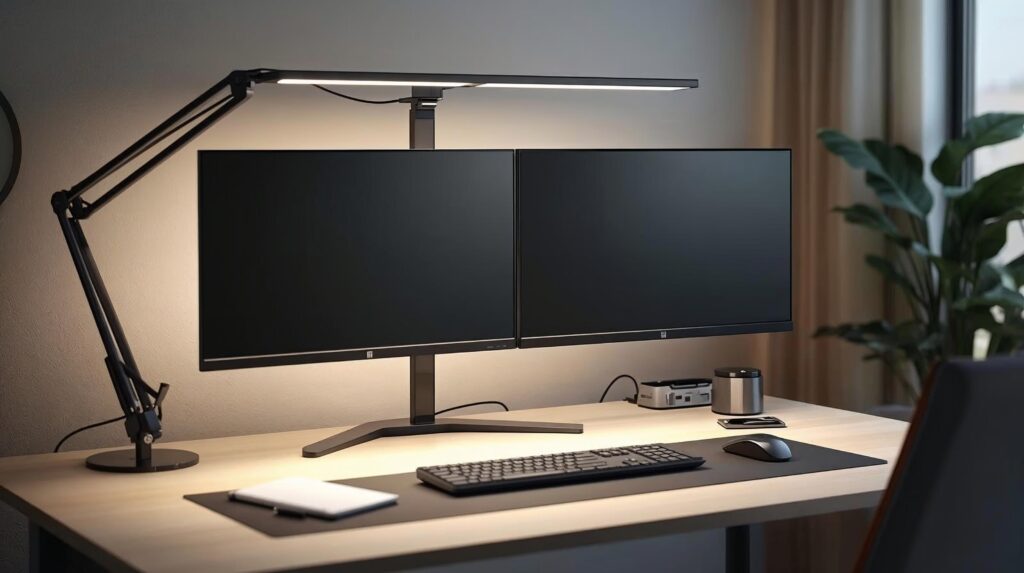
If your desk is crowded, a clamp lamp can be a big upgrade. EppieBasic markets a 31.5-inch wide light bar and clamp mounting for full-desk coverage.
Key highlights
- 31.5″ wide light bar (coverage focus)
- Clamp design saves desk space
- Product descriptions frequently emphasize “no screen glare” angle design (varies by model/listing)
Why it helps productivity
You reclaim desk space (less clutter), and you get a broad light field that works well for dual monitors + keyboard + notebook without spotlight glare.
Pros
- Excellent coverage for wide desks
- Clamp saves space
- Strong value vs premium lamps
Cons
- Quality/controls vary by version and listing
- Not as refined as premium models
4) Logitech G Litra Beam – Best for video calls and hybrid work
Litra Beam is designed as a desktop key light with TrueSoft and a 2700K–6500K color temperature range, plus control through Logitech G HUB. Logitech lists 93 CRI and desktop mounting adjustability.
Key highlights
- TrueSoft positioning + desktop control
- 2700K–6500K range
- CRI and skin-tone oriented spec emphasis
Why it helps productivity
If you’re on calls daily, better lighting improves how you look on camera and reduces harsh shadows—without needing a full studio setup.
Pros
- Great for Zoom/Teams lighting
- Wide temperature range + software control
Cons
- Not built to flood a large desk like an architect lamp
- Needs USB power
How to choose the right desk lamp for your setup
Choosing the best desk lamps for eye comfort depends on your monitor setup, desk size, and when you work.
If you mostly work on a monitor
Prioritize:
- Light aimed down onto the desk, not into your eyes
- Easy dimming (so desk light doesn’t overpower the screen area)
- A head/arm design that helps reduce reflections
If you do lots of reading or handwriting
Prioritize:
- Wide illumination (even coverage)
- Stable positioning (so the beam stays put)
- High CRI if color clarity matters
If you have a wide desk or dual monitors
Prioritize:
- Wide-head lamps or light bars (coverage first)
- Clamp mounting if desk space is limited
Clamp vs base (fast rule)
- Clamp: saves desk space; great for wide/dual-monitor setups
- Base: easier to move; better for flexible work locations
A clean desk doesn’t just look better it improves light distribution and reduces visual distraction, which can make work feel less tiring. If your setup gets messy fast, start with these cable management essentials ↗ to keep your workspace bright, tidy, and easier to focus in.
Best placement + settings to reduce eye strain fast
Even the best desk lamps for eye comfort can feel harsh if the angle causes reflections—aim the beam downward and dim until the screen feels comfortable.
- Put the lamp on the opposite side of your writing hand
Right-handed → lamp on the left (reduces shadows on paper). - Aim light at the desk surface, not your eyes
This reduces glare spikes and keeps your screen more comfortable. - Keep monitor area brightness balanced
If your lamp “washes out” your screen area, dim it or adjust the angle. OSHA highlights limiting brightness around monitors. - At night, go warmer and dimmer
Blue-rich light at night is commonly discussed in sleep/circadian rhythm guidance.
FAQs
What’s the best color temperature for studying?
Many people like neutral white (3500–4100K) for mixed tasks. If you work late, switching to warmer light can feel less harsh. Sleep/circadian guidance often favors warmer light in the evening.
Are “flicker-free” desk lamps really important?
They can be especially if you notice headaches or eye fatigue. IEEE 1789 is a commonly referenced recommended practice discussing flicker risk and LED modulation.
How bright should my desk lamp be?
A practical rule: bright enough for reading, dim enough to avoid glare. OSHA references office lighting ranges in foot-candles and notes balancing brightness around monitors.
Should I use a desk lamp if I already have ceiling lights?
Often yes. Task lighting helps you light the work surface without making the whole room overly bright, which can reduce monitor discomfort.
Final thoughts
The best desk lamps for eye comfort make long work sessions easier by reducing glare, harsh contrast, and visual fatigue.
- Best overall: BenQ e-Reading (wide, even desk lighting)
- Best premium: Dyson Solarcycle Morph (daylight tracking + smart behavior)
- Best wide desk/budget: EppieBasic clamp lamp (coverage + space saving)
- Best for calls: Logitech Litra Beam (camera-friendly control + range)
Next step: If you currently use a rigid lamp with one brightness setting, upgrading to a lamp with easy dimming + adjustable color temperature can make long work sessions feel noticeably easier.
Pick one of these best desk lamps for eye comfort and set it up correctly you’ll notice the difference within a day or two.
Evening work is easier when your environment supports focus warm lighting, fewer distractions, and a simple workflow system you can repeat daily. If you want a practical toolkit to plan tasks, write faster, and stay organized, explore our recommended AI productivity stack ↗ for modern home offices.
Sources & references
- OSHA – Computer Workstations: Workstation Environment (lighting + task lighting guidance) ↗.
- U.S. DOE (SSL) – IEEE flicker recommended practice explainer ↗.
- IEEE – 1789-2015 standard overview ↗.
- Harvard Health – Blue light and circadian rhythm discussion ↗.
- Sleep Foundation – Blue light and sleep overview + evening light guidance ↗.