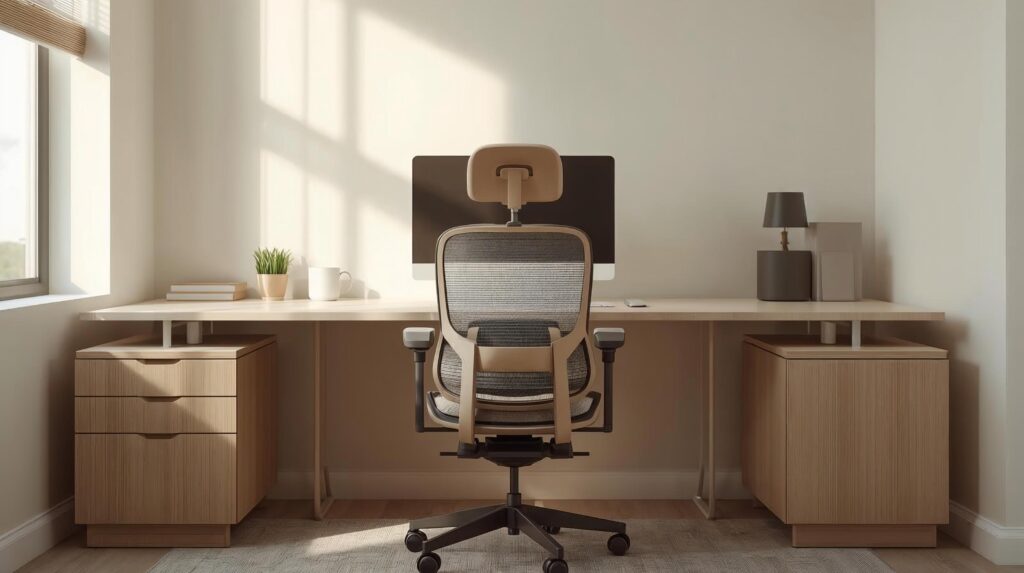
If you spend hours sitting at a desk, your chair plays a bigger role in lower back comfort than most people realize. This guide breaks down how ergonomic chairs support healthier posture, which features actually matter for long sitting hours, and how to choose the right option for your home or office setup.
This article covers the best ergonomic chairs for lower back pain, focusing on posture support, lumbar design, and comfort for long sitting hours. Lower back pain is one of the most common issues for people who spend long hours sitting at a desk. Whether you work from home or in an office, the wrong chair can quietly strain your spine day after day.
In this guide, we break down what actually makes a chair good for lower back pain, how to choose the right one for your body, and the seven best ergonomic chairs to choose from them. Before investing in new seating, it helps to understand how to adjust your desk setup for better ergonomics ↗, so everything works together to support healthy posture.
Lower back pain is rarely caused by sitting alone — it’s caused by how you sit.
The most common contributors include:
- Lack of lumbar (lower back) support
- Sitting with a rounded spine
- Seat height that forces hips too high or too low
- Poor seat depth cutting off circulation
- Remaining static for long periods.
Maintaining proper monitor height and posture ↗, helps reduce forward head position and unnecessary pressure on the lower back during long sitting sessions.
Why Ergonomic Chairs Help With Back Pain
When choosing the best ergonomic chairs for lower back pain, proper lumbar alignment and adjustability matter more than cushioning alone. An ergonomic chair is designed to adapt to your body, not force your body to adapt to it.
Proper ergonomic chairs:
- Support the natural lumbar curve
- Allow micro-movement instead of locking posture
- Keep hips, knees, and feet properly aligned
- Reduce pressure on spinal discs.
Best Ergonomic Chairs for Lower Back Pain – Top Picks for 2026
| Model | Best For | Lumbar Type | Max Weight | Warranty |
|---|---|---|---|---|
| Steelcase Leap V2 | Overall Support | Adjustable Depth/Height | 400 lbs. | 12 Years |
| Herman Miller Embody | Spine Alignment | Pixelated/Dynamic | 300 lbs. | 12 Years |
| Herman Miller Aeron | Breathability | Posture Fit SL (Dual Pad) | 350 lbs. | 12 Years |
| Branch Ergonomic Pro | Value & Style | Height-Adjustable | 275 lbs. | 7 Years |
| FlexiSpot C7 | Budget Friendly | Dynamic Auto-Following | 330 lbs. | 10 Years |
| Steelcase Gesture | Tech & Device Users | 3D LiveBack | 400 lbs. | 12 Years |
| Secretlab Titan Evo | Gamers / Big & Tall | 4-Way L-ADAPT | 395 lbs. | 5 Years |
1. Best Overall: Steelcase Leap V2:
The Steelcase Leap V2 remains the gold standard for back pain. Unlike chairs with rigid frames, the Leap’s backrest changes shape to mimic your spine’s movement.
- Why it helps your back: The “LiveBack” technology allows the lower part of the backrest to flex, ensuring that as you recline, your lumbar stays tucked against the support.
- Pros: Highly adjustable 4D arms; excellent seat depth adjustment.
- Cons: Can feel “corporate” in aesthetic.
2. Best for Spine Health: Herman Miller Embody:
Designed by physicians and PhDs, the Embody was built specifically to reduce seated pressure and encourage blood flow.
- Why it helps your back: The “Backfit” adjustment allows you to tune the backrest to your spine’s unique curve. It feels less like a chair and more like a second skin.
- Pros: Unmatched pressure distribution; 12-year warranty.
- Cons: High price point; no traditional headrest.
3. Best Breathable Support: Herman Miller Aeron:
The Aeron is iconic for a reason. Its 8Z Pellicle mesh offers eight zones of varying tension to cradle your body.
- Why it helps your back: The PostureFit SL system provides two adjustable pads that support the sacrum and the lumbar region simultaneously.
- Pros: Stays cool all day; recycled materials.
- Cons: The hard plastic rim can be polarizing for some body types.
4. Best Value for Home Offices: Branch Ergonomic Chair Pro:
If you want a premium features at a mid range price, The Branch Ergonomic Pro is for you.
- Why it helps your back: It features a dedicated lumbar support module that can be adjusted for height, making it easy to hit that “sweet spot” in the small of your back.
- Pros: Sleek design; very easy assembly.
- Cons: Mesh is slightly firmer than high-end models.
5. Best Budget Option: FlexiSpot C7:
If you’re on a tight budget but your back is screaming, the FlexiSpot C7 is a life-saver.
- Why it helps your back: It uses a “Dynamic Lumbar Support” system that automatically follows your movements, whether you are sitting upright or reclining.
- Pros: Includes a footrest option; surprisingly heavy-duty.
- Cons: Adjustments feel slightly less “smooth” than Steelcase.
6. Best for Tech Users: Steelcase Gesture:
If you find yourself constantly switching between a laptop, a tablet, and a smartphone, the Steelcase Gesture is built for you. It was designed after a global study of how new technology affects our sitting postures.
- Why it helps your back: The backrest features 3D LiveBack technology that mimics the natural movement of the spine. Even more importantly, the armrests move like a human arm, supporting you in “nontraditional” positions that usually lead to lower back slouching.
- Pros: Best-in-class arm adjustability; supports a wide range of body types.
- Cons: The seat is on the firmer side, which some may find stiff initially.
7. Best for Gamers (and Big & Tall): Secretlab Titan Evo:
It’s rare to find a “gaming” chair that actually provides medical-grade lumbar support, but the Titan Evo breaks the mold. It’s perfect for those who want a sturdier, “cradle” feel.
- Why it helps your back: It uses a proprietary 4-way L-ADAPT lumbar system. You can use two dials on the side of the chair to move the support both up-and-down and in-and-out. This allows you to tuck the support perfectly into the curvature of your lower spine (lumbar lordosis).
- Pros: Magnetic headrest (no straps!); multiple size options (Small to XL).
- Cons: Firm cold-cure foam feels harder than a traditional mesh office chair.
Final Verdict:
The best ergonomic chairs for lower back pain are the ones that fit your body, support neutral posture, and adapt to long workdays.
When chosen and adjusted correctly, an ergonomic chair becomes one of the most impactful investments you can make for long-term comfort, posture, and productivity.
Finally, if you have the budget, the Steelcase Leap V2 is the safest bet for 90% of users. However, if you prefer a modern mesh feel, the Herman Miller Aeron is a timeless investment in your health.
FAQs
Are ergonomic chairs medically proven to reduce back pain?
There is strong ergonomic consensus that lumbar support and neutral spine alignment reduce spinal load. Individual results vary depending on posture and usage.
Is a hard chair better than a soft one?
Neither extreme is ideal. The goal is supportive firmness, not hardness.
Can an ergonomic chair fix chronic back pain?
A chair can reduce strain but cannot replace medical treatment for chronic or severe conditions.
References & Resources
- Occupational Safety and Health Administration (OSHA) – Computer Workstation Ergonomics ↗.
- Mayo Clinic – Tips for Sitting Posture and Back Health ↗.
- Cleveland Clinic – Office Ergonomics and Proper Sitting ↗.
Medical Disclaimer:
This article is for informational purposes only and does not replace professional medical advice. Always consult a healthcare professional for persistent or severe pain.